









Overview
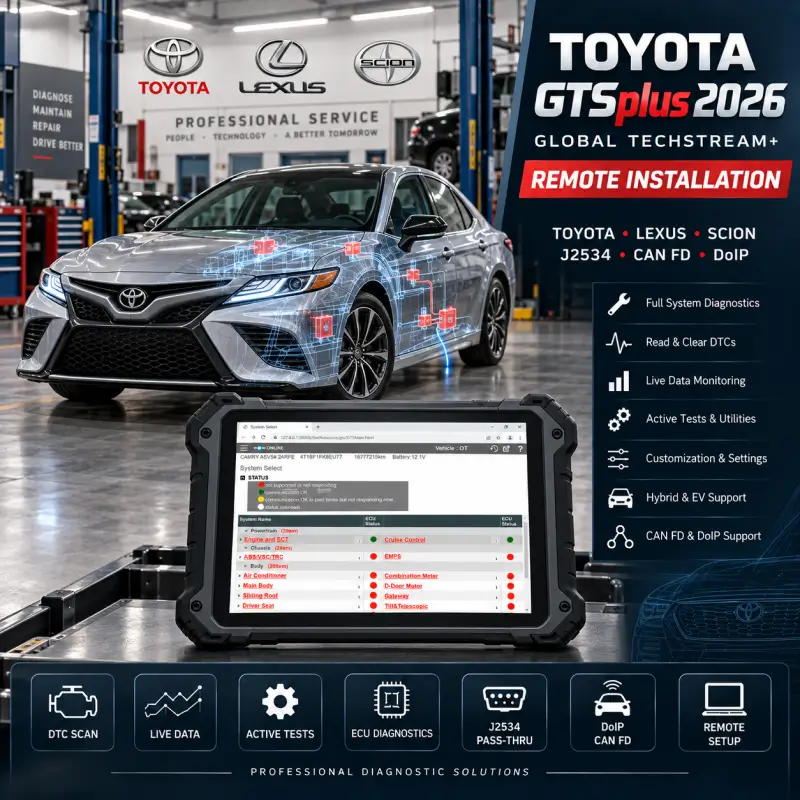
Get Toyota GTSplus (Global Techstream+) 2026 professionally installed, activated and configured remotely on your Windows PC.
GTS+ is Toyota’s next-generation diagnostic platform for Toyota, Lexus and Scion vehicles, providing advanced diagnostics for both traditional vehicles and newer platforms using CAN FD and DoIP communication.
Our service includes complete installation, offline activation, VCI configuration and communication testing so the software is ready to use when the remote session is completed.
Key Features
- Toyota GTSplus / Global Techstream+ 2026
- Offline activation included
- Toyota, Lexus & Scion support
- Vehicle Health Check
- Read and clear manufacturer-specific DTCs
- ECU identification
- Live Data / Data List
- Active Tests
- Utility and maintenance functions
- Vehicle customization
- Hybrid and EV diagnostics
- CAN FD support
- DoIP vehicle support
- J2534 / VCI configuration
- Complete remote installation
Offline Activation
This service includes offline activation, allowing GTSplus to operate without requiring a Toyota online account for normal diagnostic use.
The offline version provides access to the main vehicle diagnostic functions including:
- Health Check
- DTC reading and clearing
- Live Data
- Active Tests
- ECU information
- Customization
- Many maintenance and diagnostic utilities
No recurring Toyota subscription is required for normal offline diagnostic operation.
Offline Version Limitations
Important: Offline activation does not provide Toyota server access. Functions that require online authentication or communication with Toyota servers are therefore unavailable.
Depending on the vehicle and operation, limitations may include:
- ECU Security Key registration
- Security functions requiring Toyota server authentication
- New-generation key programming requiring online authorization
- ECU MAC Key Pairing
- Reprogramming Unlock Seed generation
- Online calibration file downloads
- Toyota TIS / online technical information access
- Other functions that specifically require Toyota server authentication
For this reason, the offline version is primarily recommended for diagnostics, troubleshooting, live data, Active Tests, customization and supported service functions.
If your main purpose is ECU programming, security access or key programming on newer Toyota/Lexus vehicles, contact us before ordering so we can confirm whether the required function is available offline.
Supported Diagnostic Interfaces
GTSplus supports compatible Toyota diagnostic interfaces and J2534 Pass-Thru devices.
Common compatible interfaces include:
- DrewTech CarDAQ
- Bosch VCI
- Autel MaxiFlash
- Compatible J2534 Pass-Thru interfaces
- Compatible CAN FD interfaces
- Compatible DoIP VCIs
Interface compatibility depends on the vehicle and communication protocol.
For newer vehicles using CAN FD or DoIP, a compatible CAN FD / DoIP interface is required.
Remote Installation Service
Our technician will remotely:
- Install Toyota GTSplus 2026
- Apply offline activation
- Configure required software components
- Configure your VCI / J2534 interface
- Set communication parameters
- Launch and test GTSplus
- Verify that the installation is working correctly
The complete service is performed remotely. There is no need to send us your laptop or diagnostic interface.
System Requirements
- Windows 10 or Windows 11 64-bit
- Stable internet connection during installation
- Administrator access
- Compatible diagnostic interface
- Sufficient free storage space
A dedicated Windows diagnostic laptop is recommended for best compatibility.
Before Ordering
If you are unsure whether your diagnostic interface is compatible, send us the VCI model, vehicle model and vehicle year before purchasing.
We can confirm whether your setup is suitable for standard J2534, CAN FD or DoIP diagnostics.


Peter Novak –
All good, as described. Thank you